Download All Images From Amazon Photos
The pieces of shit from Amazon do not allow to download at once all the images from Amazon Photos. Below I will show a little js code i wrote to automatize the process.
Open Amazon Photos in a browser and select the image or video you want to start from. Then, press F12 to open the development tools, go to the console tab and paste the js code:
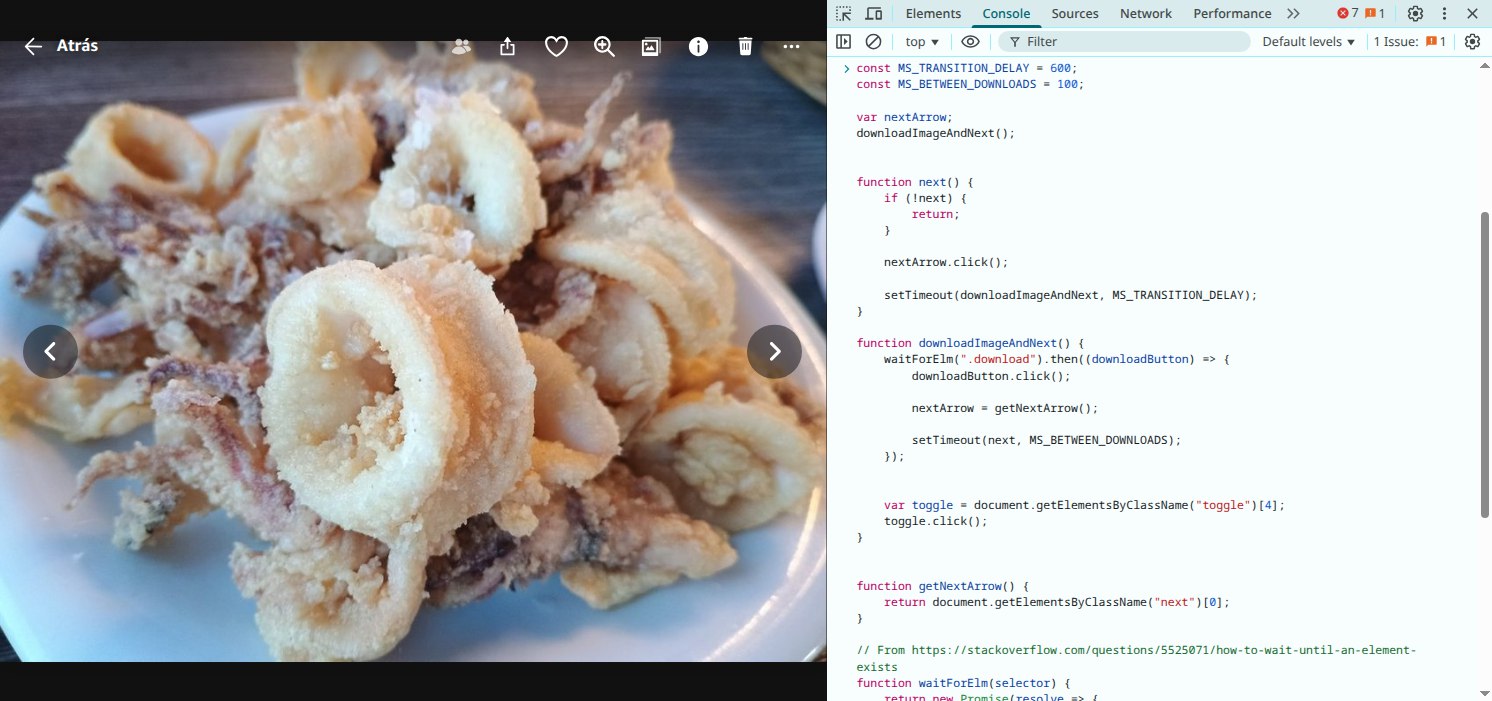
const MS_TRANSITION_DELAY = 600;
const MS_BETWEEN_DOWNLOADS = 100;

var nextArrow;
downloadImageAndNext();


function next() {
    if (!next) {
        return;
    }

    nextArrow.click();

    setTimeout(downloadImageAndNext, MS_TRANSITION_DELAY);
}

function downloadImageAndNext() {
    waitForElm(".download").then((downloadButton) => {
        downloadButton.click();

        nextArrow = getNextArrow();

        setTimeout(next, MS_BETWEEN_DOWNLOADS);
    });

    var toggle = document.getElementsByClassName("toggle")[4];
    toggle.click();
}

function getNextArrow() {
    return document.getElementsByClassName("next")[0];
}


// From https://stackoverflow.com/questions/5525071/how-to-wait-until-an-element-exists
function waitForElm(selector) {
    return new Promise(resolve => {
        if (document.querySelector(selector)) {
            return resolve(document.querySelector(selector));
        }

        const observer = new MutationObserver(mutations => {
            if (document.querySelector(selector)) {
                observer.disconnect();
                resolve(document.querySelector(selector));
            }
        });

        // If you get "parameter 1 is not of type 'Node'" error, see https://stackoverflow.com/a/77855838/492336
        observer.observe(document.body, {
            childList: true,
            subtree: true
        });
    });
}
Press enter to execute the code. It will download simulate a click to the top-right toggle, click the download button and then the next arrow to transition to the next image. This process will continue until it reaches the last image or fails for some reason1. If it does not start moving automatically, press the top-right toggle manually and after that it should continue on its own.
Constants
There are 2 constants you should adapt to your needs.
MS_TRANSITION_DELAY
The milliseconds to wait between the next arrow press and the start of the download of the next image. The lower the better, but beware not to make it to small, it should be enough for the transition to take place.
MS_BETWEEN_DOWNLOADS
The milliseconds to wait between the start of the download and the transition to the next image. The purpose of this delay is to avoid accumulating a large number of simultaneous downloads. You should adjust it according to your internet speed and the size of the media.
I recommend downloading the images and the videos separately because of their size difference. There is a filter in the left that allows this.
-
You can download all the images with a
MS_BETWEEN_DOWNLOADSof approximately 0. -
In the case of the videos, since they take a lot more space, you can set
MS_BETWEEN_DOWNLOADSto 2000, 5000, 20000… or whatever milliseconds are necessary to avoid ending with >5 videos downloading at the same time. As I said, it depends on your internet speed.
Footnotes
-
Don’t worry if it fails after some images, the process can be started over again from any image. ↩
